Automatic top ups for SMS's and allowing members to register for the security code for the Portal by SMS
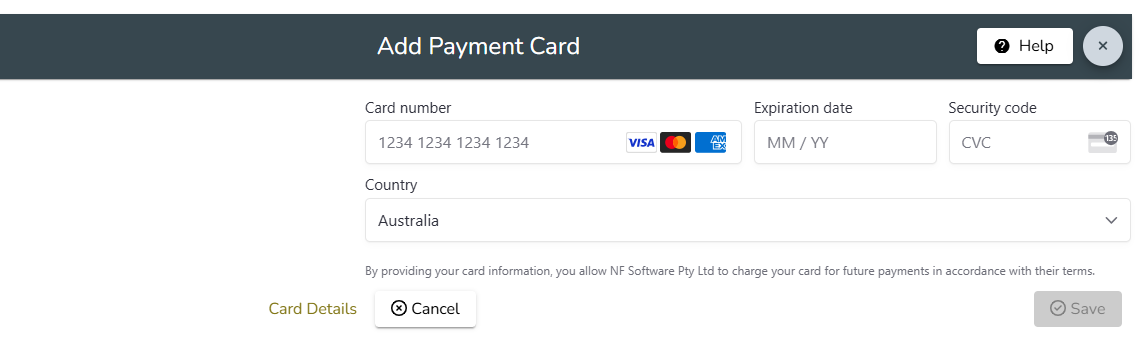
In order for your organisation to be able to send SMS Messages you must first register a Payment Card in Settings/Payment Cards to be used in the purchase of SMS credits.
Go to Communications/Buy SMS Units and click the Set up Automatic Top Up button

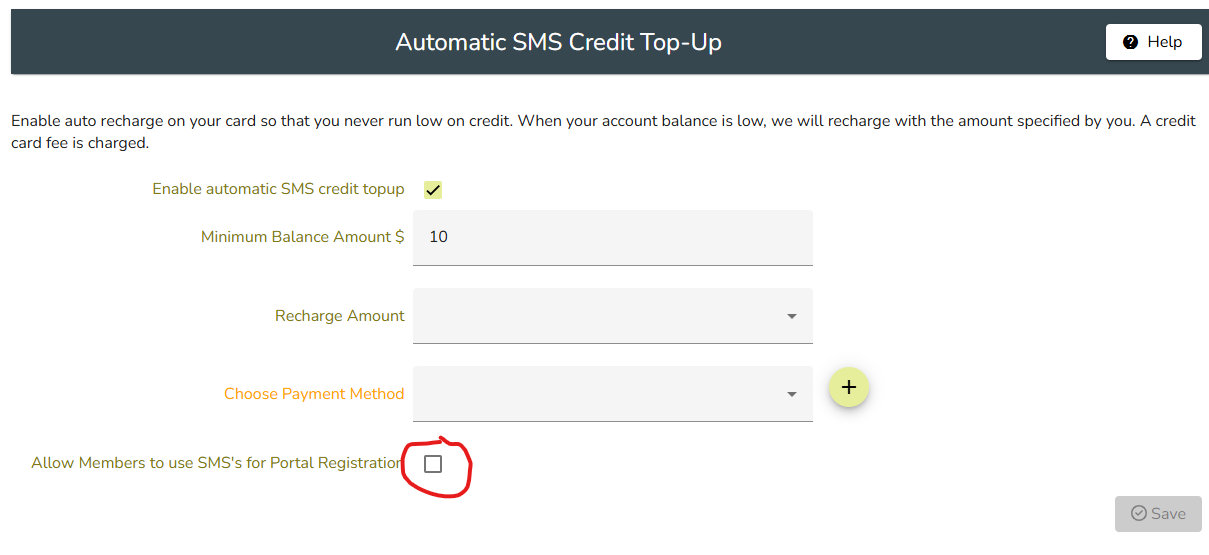
Click the Setup automatic top up button and you will then be asked to select the number of SMS units which will be added with each top up and the minimum level of SMS units which will trigger the top up.
You then need to select a payment card for the top up payments. To add a card (if you have not already done so) click the + sign next to this field.
If you wish your members to be able to obtain their security code for the Member Portal registration process check the box Allow members to use SMS's for Portal registration.
Please note that Member Wizard does not have access to or store your card details. These are all handled via Stripe which is a credit card clearing house. Your card will be billed when the number of SMS units is insufficient. You do not need to be using Stripe or have a Stripe account to be able to use this service.