Enabling SMS top ups so members can register for the Portal via SMS
In order for your members to use an SMS to deliver the security code to access the Portal you must set up Automatic Top Ups
for your SMS credits.
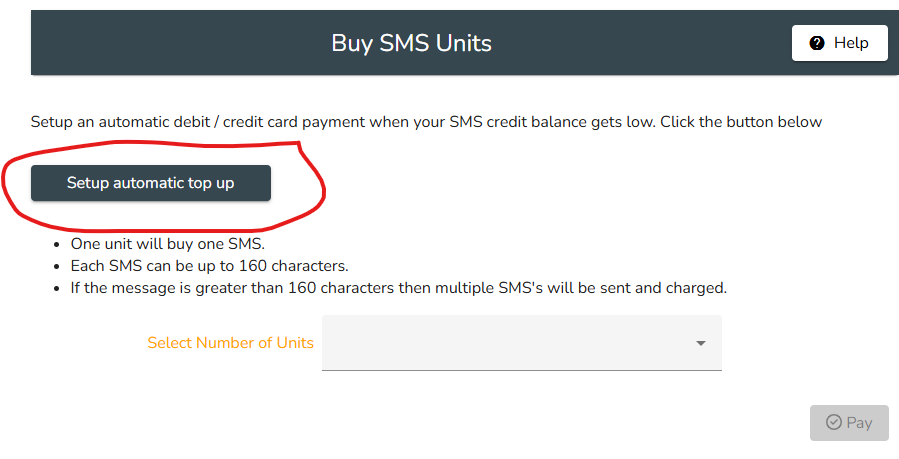
Go to Communications/Buy SMS Units and click the Set up Automatic Top Up button
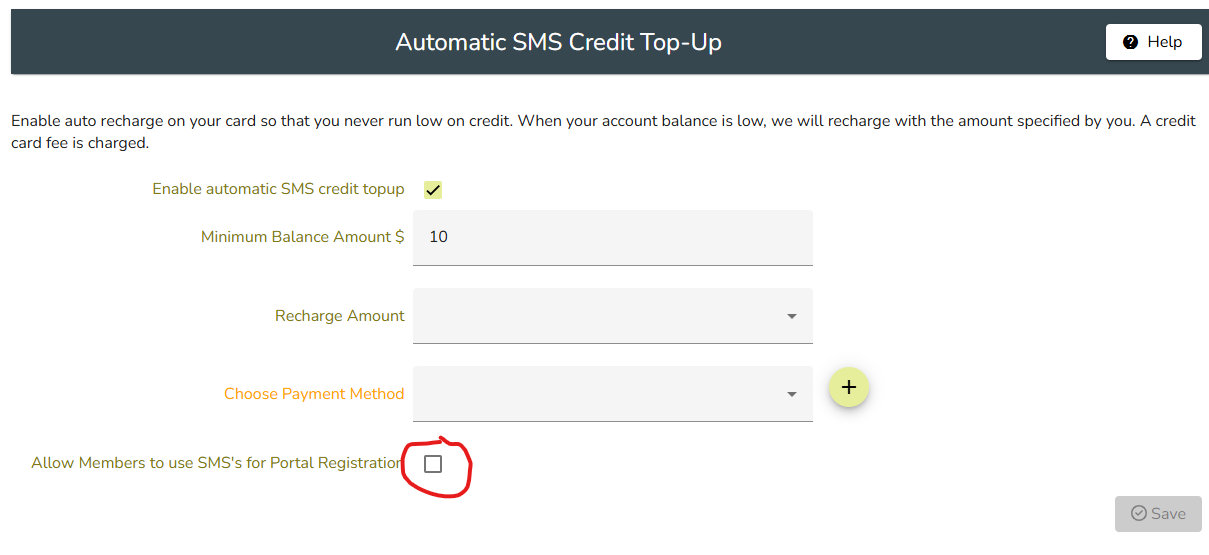
Eneter the amount for each top up in $AU then click the field to + Choose a Payment method. On the next screen you will be asked to enter details of your organisation's credit or debit card for the purchase of SMS units should the number you have available be insufficient for member requirements. Check the box which says Allow Members to use SMS for Portal registration then click Save.
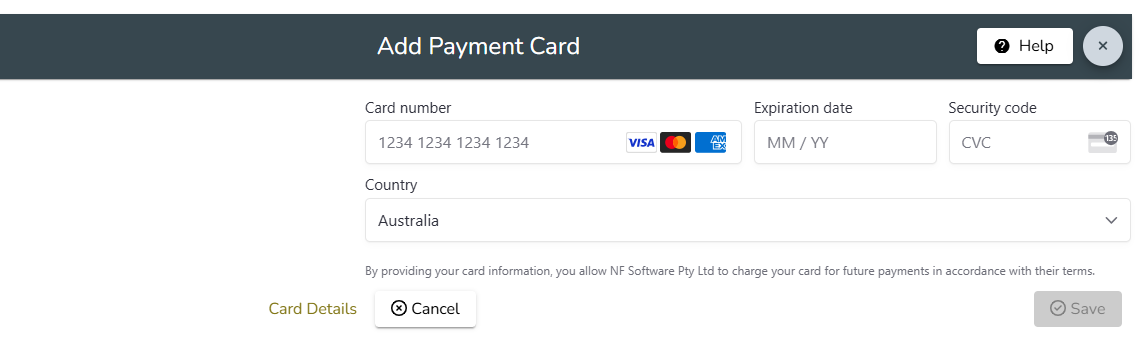
On the next screen you will be asked to enter details of your organisation's credit or debit card for the purchase of SMS units should the number you have available be insufficient for member requirements. Then click Save.
Please note that Member Wizard does not have access to or store your card details. These are all handled via Stripe which is a credit card clearing house. Your card will be billed when the number of SMS units is insufficient. You can not add a Payment Card unless you are already connected to Stripe. If you do not have Stripe please contact support@memberwizard.com.au and we can add SMS credits to your account and invoice you however you will not be able to automatically send SMS messages for Portal security code sending or set up automatic top ups, you will only be able to send via the Admin Portal and only up to the total in your current SMS balance.